Clock Icon - Technology Webflow Template
10
min read

How to Set Up a Client Portal in 5 Simple Steps

Set up a client portal easily! Follow our 5-step guide for seamless client portal setup, boosting satisfaction & reducing ...

Why Client Portal Setup Is Essential for Modern Businesses

Client portal setup is the process of creating a secure, centralized digital space where clients can access files, track progress, view invoices, and communicate with your team. Here's what you need to know:

Quick Answer: The 5 Steps to Client Portal Setup

  1. Define Goals & Choose Method - Decide between dedicated software (Zendo, Softr), plugins (WordPress), or custom development
  2. Select Features & Customize Brand - Add essential features like secure login, file sharing, and invoicing, then apply your branding
  3. Complete Technical Setup - Configure settings, connect your domain, integrate business tools, and set security permissions
  4. Onboard Clients - Send invitations, provide clear instructions, and make the portal easy to access
  5. Drive Adoption - Communicate benefits, create tutorials, and ensure mobile-friendly access

If you're drowning in email threads searching for a file a client asked about three times already, you're not alone. A client portal eliminates this chaos, replacing scattered tools with a professional, organized hub. In fact, 78% of small businesses report that SaaS solutions like client portals have become essential to their operations.

The benefits are clear: clients get 24/7 access to their information, you reduce administrative work, and everyone enjoys a more professional experience. One agency owner put it perfectly: "I finally feel like a proper agency now I have Client Portal."

I'm Ryan T. Murphy, founder of UpfrontOps. Over the past 12 years, I've helped 32 companies streamline operations with smart automation and better systems. A well-executed client portal setup transforms chaotic communication into an organized workflow, saving hours every week while dramatically improving the client experience.
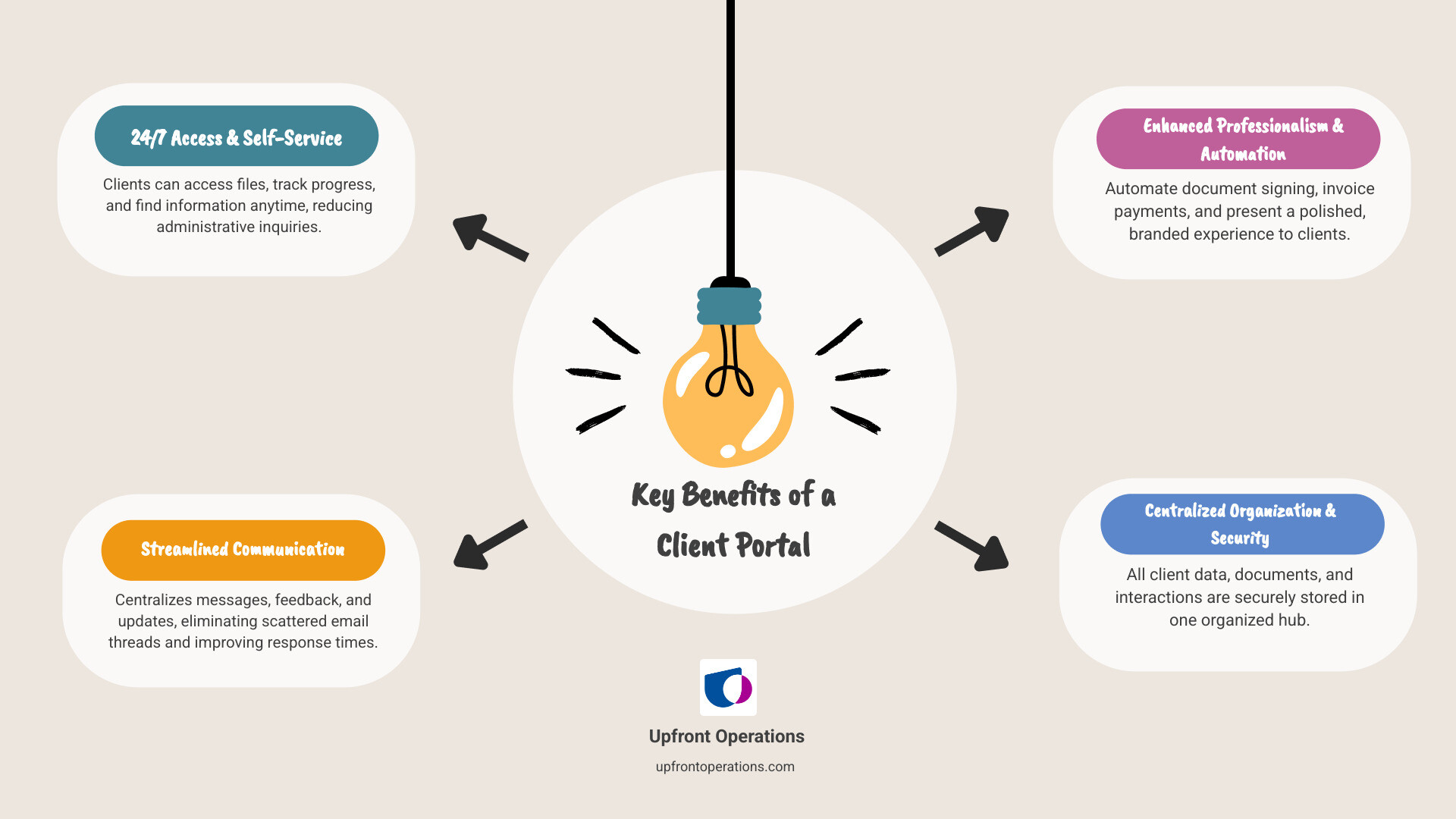
Infographic showing client portal benefits: 24/7 client access to files and information, reduced email volume by centralizing communication, automated document signing and invoice payments, improved professionalism and client satisfaction, time saved on administrative tasks through self-service features, better organization with all client data in one secure location - Client portal setup infographic brainstorm-4-items

Step 1: Define Your Goals and Choose Your Method

Before starting your client portal setup, you need a clear destination. What problem are you trying to solve? Are you tired of late-night emails asking for old contracts? Do you want to reduce support tickets by letting clients self-serve? Or are you trying to automate manual invoicing and project updates?

Getting crystal clear on your goals saves time and headaches. Are you focused on streamlined document sharing, real-time project visibility, or automated invoicing? Once you know what you need, choosing the right setup method becomes much easier.

Flowchart showing three main methods for client portal setup: Dedicated Software (SaaS), Website Plugins, Custom Development - Client portal setup

You have three main paths for building your client portal, each fitting different needs and budgets.

MethodCost (Initial/Ongoing)Setup TimeTechnical Skill RequiredFlexibility
Dedicated SoftwareLow/MediumFast (minutes-hours)LowMedium-High
Website PluginsLow/MediumMedium (hours-days)MediumMedium
Custom DevelopmentHigh/HighLong (weeks-months)HighVery High

Dedicated Software (SaaS)

For a fast, code-free launch, dedicated client portal software is your best option. These no-code platforms are perfect for busy owners who need results now.

Zendo claims you can build a portal in under 30 minutes for about $24.50/month. Softr, used by over 800,000+ teams, makes the same promise. Both come with built-in features like secure file sharing, messaging, and project tracking, so you're not starting from scratch. SaaS platforms grow with you, allowing you to add features as your business expands. If you're a solopreneur feeling overwhelmed, our on-demand services can get you set up quickly so you can focus on serving clients.

Website Plugins

If you have a WordPress site, a plugin-based client portal is a great choice. You're building on existing infrastructure, which saves time and money. The Client Portal plugin for WordPress is trusted by over 8,000 companies and integrates seamlessly with your site, offering a good balance of features and affordability. Don't have WordPress? Some providers, including Client Portal, offer custom plans for non-WordPress sites starting from $49/month.

Custom Development

When off-the-shelf solutions won't work, custom development offers complete control. This approach means building a portal from the ground up to your exact specifications, perfect for unique workflows or complex integrations. The trade-off is higher costs, longer timelines (weeks to months), and the need for technical expertise. This route is best for larger enterprises with complex needs. If you're considering this path, our fractional sales operations experts can help define requirements and manage the project to ensure it meets your team's needs.

Step 2: Select Core Features and Customize Your Brand

After choosing your method, the next step in client portal setup is selecting features and applying your brand. This is about creating a professional, cohesive experience that reinforces trust, not just adding a logo.

Client portal being customized with a company's logo and brand colors - Client portal setup

Essential Features for Your Client Portal

An effective client portal is a central hub for all client activity. Consider these core functionalities:

  • Secure Login & Permissions: The foundation of your portal. Use multi-factor authentication (MFA) and granular permissions to control what each client sees and does. Some portals, like CARM, automatically deactivate inactive accounts for added security.
  • File & Document Management: A secure space for clients to upload, share, and access documents. Many platforms support e-signatures with full audit trails, which are legally binding under the U.S. Federal ESIGN Act. Most systems have file size limits, often around 50MB.
  • Project & Task Tracking: Give clients transparent access to project progress, timelines, and tasks without constant emails. Customize views to show clients only what's relevant to them.
  • Invoicing & Payments: Streamline financials by allowing clients to view invoices, access billing history, and pay directly within the portal via integrations like Stripe and PayPal.
  • Secure Messaging & Chat: Centralize all client communication with in-portal messaging or chat, eliminating scattered email threads.
  • Reporting & Dashboards: Empower clients with real-time data through customizable dashboards, letting them track project insights or key metrics on their own.
  • Knowledge Base/Resource Hub: Create a self-serve section with FAQs, tutorials, and onboarding resources to free up your team's time and empower clients.

Customizing Your Portal to Match Your Brand

Making the portal unmistakably yours builds trust. A cohesive brand experience is key.

  • Visuals: Upload your company logo, add a favicon for browser tabs, and adjust the brand colors to match your guidelines.
  • Messaging: Craft a custom welcome message that reflects your brand's tone. Use personalized email templates for notifications so every communication sounds like it's from you, not a machine.
  • Domain: The ultimate branding move is a custom domain setup (e.g., portal.yourcompany.com). This requires updating DNS records (A or CNAME) and can take 24-48 hours to propagate, but it's worth it for the professionalism it conveys.

A professional brand presence is crucial. If you need help with foundational elements, our on-demand custom business website or email setup can get you started quickly, ensuring your portal, website, and email all work together seamlessly.

Step 3: The Technical Client Portal Setup Process

Now it's time for the technical client portal setup. This involves configuring the platform, connecting your business tools, and building the secure foundation your clients will rely on. This general process applies to most platforms, from dedicated software to WordPress plugins.

User permissions settings screen with different roles - Client portal setup

A General Guide to Your Client Portal Setup

  1. Configure Foundational Settings: Give your portal a professional name, like "Upfront Operations Client Hub." You'll find these options in a Settings or General tab.
  2. Connect Your Custom Domain: If you chose a custom domain, connect it by updating your DNS records (usually an A or CNAME record). Be aware that DNS changes can take up to 48 hours to propagate.
  3. Populate Content and Modules: Bring your portal to life by setting up the dashboard, document sections, and billing views. Most platforms offer drag-and-drop builders and templates to simplify this.
  4. Integrate Business Tools: A portal's real power comes from integration. Connect it to your CRM system (we specialize in HubSpot integrations), project management tools (like ClickUp), and accounting systems (like QuickBooks Online). This creates a connected hub that automates data flow. Our fractional sales operations experts can ensure these integrations are rock-solid.
  5. Test Everything: Before inviting clients, use the platform's Preview mode to see the portal from their perspective. Click every link and submit every form to catch issues early.

Managing Security and User Permissions

Security is the foundation of client trust. Here's how to protect their data:

  • SSL Encryption: Ensure your portal URL uses "HTTPS." This encrypts data between the client's browser and your server. Most platforms include this by default.
  • Two-Factor Authentication (2FA): Add a crucial second layer of security that requires a verification code (sent via email or phone) in addition to a password.
  • Data Privacy Compliance: Choose a platform compliant with regulations like GDPR and SOC 2 to show you take privacy seriously.
  • Inactivity Timeouts: Implement automatic logouts or account deactivations after a period of inactivity (e.g., 180 days) to prevent dormant accounts from becoming a vulnerability.
  • User Access Control: Use granular permissions to control what each user can see. Set up role-based access and user groups so clients only access the information relevant to them, protecting sensitive data.

Step 4: Onboard Clients and Drive Adoption

Building the perfect portal is only half the journey in client portal setup. The real challenge is getting clients to actually use it. A great portal with no users is just digital dust. Let's ensure that doesn't happen.

Best Practices for Inviting Clients

Your first invitation sets the tone. Make joining feel effortless and exciting, not like another chore.

  • Direct Email Invitations: Send personalized invitations from your portal system. Customize them with your branding and a clear call to action that explains the benefits for the client.
  • Self-Registration: Some portals, like HubSpot's, offer self-registration options, which is great for a large number of clients or for providing immediate access.
  • Secure "Magic Links": Many platforms now use passwordless, one-time-use links for easy login. They expire after a set period, maintaining security while removing the friction of forgotten passwords.

No matter the method, provide clear, jargon-free instructions and a customized welcome email that reinforces the portal's value.

Encouraging Portal Adoption

Getting clients to log in once is easy; getting them to return requires strategy.

  • Communicate Benefits, Not Features: Instead of saying "Our portal has document management," say "Never search for an attachment again—everything is in one secure place, 24/7."
  • Create a Short Tutorial Video: A simple 2-3 minute screen recording showing the main features can save hours of support time.
  • Make it the Central Hub: Gradually shift all communications, file sharing, and updates to the portal. When clients realize it's the only place to get what they need, it becomes a habit.
  • Ensure Mobile Accessibility: Your portal must work flawlessly on smartphones. Some platforms can create a Progressive Web App (PWA), while others offer dedicated mobile apps. Accessibility on the go drives adoption.

If you need help creating onboarding materials or ensuring your portal is mobile-ready, our on-demand business services can handle these tasks quickly and affordably, letting you focus on your clients.

Frequently Asked Questions about Client Portal Setup

How long does it take to set up a client portal?

The timeline for a client portal setup depends on your chosen method:

  • No-Code Platforms (Zendo, Softr): Under 30 minutes for a basic setup.
  • WordPress Plugins: A few hours to a couple of days, depending on customization.
  • Custom Development: Weeks to months, depending on complexity. Our on-demand services can help manage custom projects to ensure they stay on track.

Will a client portal replace my project management software?

No, it's designed to work with it. Your internal project management tool (like ClickUp or Asana) is for your team's complex workflows. The client portal is a simplified, client-facing dashboard that shows only what's relevant to them: progress, files, and invoices. It provides clarity for the client without exposing the messy "kitchen" of your internal operations.

Can I use a client portal if my website isn't on WordPress?

Yes. Dedicated SaaS platforms like Softr and Zendo are website-agnostic and work with any site builder (Squarespace, Wix, etc.). Additionally, some plugins like Client Portal offer custom plans for non-WordPress sites, typically starting around $49/month. If you're starting from scratch, our on-demand website and email setup services can build the foundation you need before adding a portal.

Conclusion

You now have a complete guide to client portal setup. You're ready to trade chaotic email threads and scattered files for a sleek, professional client experience. No more late-night document searches or email ping-pong for updates—just a clean, centralized hub where everything has a place.

We've covered the entire process: defining goals, choosing a method, selecting features, branding, technical setup, and driving client adoption. The payoff is immense:

  • Improved professionalism that makes your business stand out.
  • Increased efficiency that saves you hours every week.
  • Reduced administrative work so you can focus on high-impact tasks.
  • Stronger client relationships built on transparency and trust.

In today's market, a client portal isn't a luxury; it's essential for delivering the modern experience clients expect. The right portal setup is transformative for any business, from solopreneurs to growing agencies.

Ready to streamline your entire business process? If you want to optimize everything from client interactions to your sales pipeline, explore our on-demand business and sales operations services. We specialize in setting up systems that work, including CRM management, lead nurturing, and the foundational tools you need to scale with confidence.

Let's build something truly impactful for your clients, together.

Ask an In-House Growth Expert (Not a Sales Call)

Nice! Next you'll be directed to the page where you can pick a time that works best for you.

If you are not available, you can schedule another time by visiting this link
Oops! Something went wrong while submitting the form.

Ryan T. Murphy

Managing Partner, Sr. Sales Operations Manager

With over a decade in CRM management and marketing operations, Ryan has driven growth for 32 businesses from startups to global enterprises with 12,000+ employees.

How to Set Up a Client Portal in 5 Simple Steps