April 8, 2026

10
min read
Operations Hub Pricing: Don't Let Your Automation Budget Go Rogue
Discover hubspot operations hub professional pricing: $720/mo annual vs $800 monthly. Compare features, seats, costs & upg...
Discover hubspot operations hub professional pricing: $720/mo annual vs $800 monthly. Compare features, seats, costs & upg...

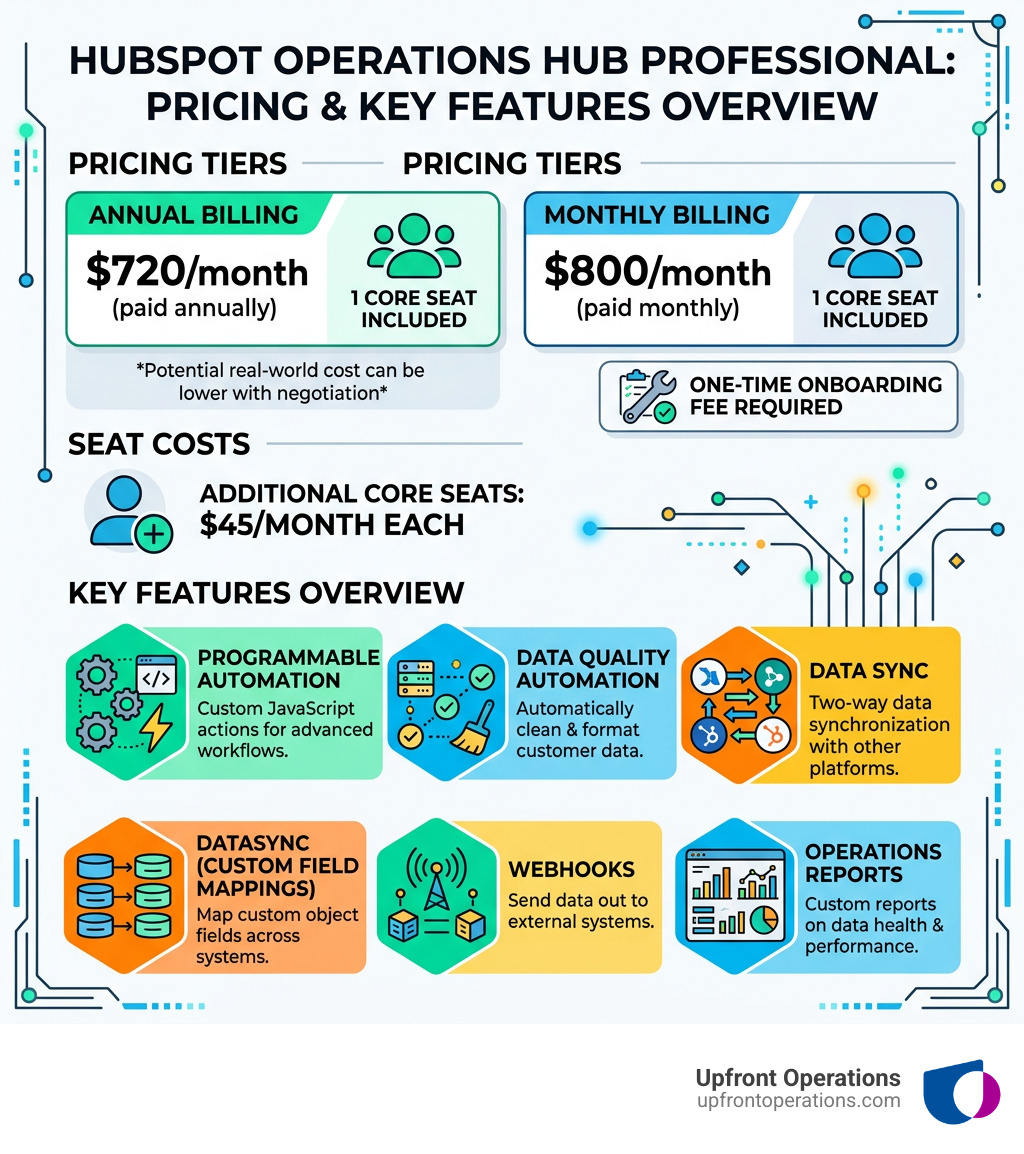
HubSpot Operations Hub Professional pricing sits at $720/month on an annual plan or $800/month on a monthly plan, and here's what that gets you at a glance:
| Detail | Annual Billing | Monthly Billing |
|---|---|---|
| Base Price | $720/month | $800/month |
| Core Seats Included | 1 | 1 |
| Additional Core Seats | $45/month each | $45/month each |
| Onboarding Fee (one-time) | Required | Required |
Most businesses can negotiate 30-35% off list price — meaning the real-world cost is often closer to $468-$504/month on an annual plan.
That's the quick answer. But if you're trying to decide whether this plan is actually right for your business — or whether you're about to overpay for features you won't use — keep reading.
HubSpot's Operations Hub sits at the center of your revenue stack. It connects your sales, marketing, and service tools, keeps your data clean, and automates the messy, manual processes that quietly drain your team's time. For a mid-sized business juggling spreadsheets, inconsistent CRM data, and broken handoffs between teams, it can be a genuine game-changer. For the wrong business, it's an expensive subscription collecting dust.
I'm Ryan T. Murphy, founder of UpfrontOps, and over the past 12 years I've helped 32 companies — from early-stage startups to global firms — get real results from tools like HubSpot, including building automation systems and clean data pipelines that directly impact HubSpot Operations Hub Professional pricing decisions. I'll walk you through exactly what you're paying for, what to watch out for, and how to make sure your automation budget doesn't go rogue.
Hubspot operations hub professional pricing word list:
When we look at the cost of scaling a business in New York, we know that every dollar counts. HubSpot recently updated their seat-based pricing model in 2024 and 2025, which has changed the way we calculate the total investment for Operations Hub (now often referred to as Data Hub in some contexts).
The core of the hubspot operations hub professional pricing model revolves around "Core Seats." Unlike the older model where you might have had a flat fee for the whole portal, HubSpot now emphasizes a "pay-for-what-you-use" approach for users who need edit access to the platform.
Choosing how to pay is the first hurdle. If you opt for the month-to-month flexibility, you're looking at $800 per month. However, most businesses we work with choose the annual commitment, which drops the price to $720 per month. That’s a savings of nearly $1,000 over the course of a year—money that could be better spent on on-demand CRM management.
A common point of confusion is how many people can actually use the software. The Professional plan includes 1 Core Seat. If you have a team of three operations managers who all need to build workflows or manage data syncs, you’ll need to purchase two additional Core Seats. Currently, additional Core Seats for the Professional tier start at approximately $45/month.
| Component | Cost (Annual) | Cost (Monthly) |
|---|---|---|
| Base Subscription | $720 / mo | $800 / mo |
| Included Core Seats | 1 | 1 |
| Extra Core Seats | ~$45 / mo | ~$45 / mo |
| View-only Users | Free | Free |
If you're feeling a bit overwhelmed by these numbers, you can check out more details on our pricing page to see how these costs stack up against our fractional support services.
Why pay $720 a month when the Starter plan is significantly cheaper? The answer lies in the "Professional" tools that turn HubSpot from a simple database into a self-cleaning, automated engine. At Upfront Operations, we often tell our clients that Professional is where HubSpot starts to think for itself.
The crown jewel of the Professional tier is Programmable Automation. This allows your team to use custom code (JavaScript or Python) directly inside HubSpot workflows.
Imagine a lead comes in from a specific zip code in New York. Instead of a simple "if/then" branch, you can run a script that checks an external database for the nearest sales rep, calculates their current workload, and assigns the lead based on real-time availability. This level of customization is what separates the pros from the amateurs.
Other key features include:
For those looking to implement these advanced features without hiring a full-time developer, our on-demand microservices can handle the custom coding for you, including specific tasks like JavaScript workflow actions or custom API integrations.
Data is only useful if you can see it. The Professional plan unlocks Datasets, which allow you to pre-curate data for your reporting teams. This makes it easier for non-technical users to build complex reports without breaking the underlying data structure.
However, there are limits to keep in mind:
Research from HubSpot's ROI report shows that businesses with high-quality CRM data see a significant boost in revenue—up to 83% in the first year for some users. Clean data isn't just a "nice to have"; it's a direct contributor to your bottom line.
Deciding which tier to land on is often a "Goldilocks" problem. Starter is too small, Enterprise is too big (and expensive), and Professional is just right—but only if you actually use the features.
You should consider moving beyond the Starter plan (which is roughly $15-$20/month) when:
On the other end of the spectrum is the Enterprise tier, which starts at a hefty $2,000/month. Most companies in the New York mid-market won't need this unless they require:
The sticker price of hubspot operations hub professional pricing is rarely the final number on the invoice. To avoid your budget going rogue, we need to look at the "hidden" costs.
HubSpot requires a one-time onboarding fee for the Professional tier. This usually starts around $1,500 to $3,000. While you can go through HubSpot directly, many businesses choose a partner-led onboarding.
At Upfront Operations, we see onboarding as an investment rather than a fee. A "DIY" approach might save you a few thousand dollars today, but a messy setup can cost you tens of thousands in lost leads and manual cleanup later. We offer elite fractional sales operations experts who can ensure your setup is built for scale from day one, handling everything from CRM data migration to sales pipeline audits.
Here is a secret: HubSpot's list price is often just a starting point. Based on SaaS negotiation benchmarks, customers typically achieve 30-35% discounts off list prices through savvy negotiation.
Some tips for getting the best deal:
For 2025, the base price is $720/month billed annually or $800/month billed monthly. This includes 1 Core Seat. If you need more people to have administrative or "edit" access to the tools, you'll need to pay for additional seats.
The plan includes 1 Core Seat. Additional Core Seats start at $45/month. "View-only" seats are generally free, so you only need to pay for the team members who are actively building workflows or managing the data sync.
Yes, keep an eye on:
Navigating hubspot operations hub professional pricing doesn't have to feel like a walk through a financial minefield. By understanding the seat-based model, the value of programmable automation, and the reality of onboarding fees, you can make an informed decision that fuels your growth rather than draining your bank account.
At Upfront Operations, we believe that your CRM should be your company's greatest asset, not a "digital junk drawer." Whether you are a small business in New York looking for on-demand microservices or a larger firm in need of elite fractional sales operations support, we are here to help. We specialize in supercharging CRM management, lead nurturing, and pipeline optimization so you can close deals faster.
Ready to stop worrying about your automation budget and start scaling? Learn more about us and how we can turn your HubSpot portal into a high-performance revenue engine.