March 26, 2026

10
min read
Funnel Analytics Setup: Because Guessing Is for Games Not Growth
Master funnel analytics setup in GA4, Amplitude & more. Define steps, fix drop-offs, automate insights—scale growth data-d...
Master funnel analytics setup in GA4, Amplitude & more. Define steps, fix drop-offs, automate insights—scale growth data-d...

Funnel analytics setup is the process of configuring tracking, defining user journey steps, and choosing the right tools so you can see exactly where leads drop off — and fix it.
Here's a quick overview of what a proper funnel analytics setup involves:
Most business owners know their funnel is leaking. They just don't know where — or by how much.
That's the problem funnel analytics solves. Instead of making gut-call decisions about why leads aren't converting, you get a clear visual of every step a user takes — and every step they abandon. Platforms like Google Analytics 4 show funnel data for the last 28 days by default, and you can save up to 200 custom funnel reports per property. That's a lot of insight sitting on the table for businesses that haven't set this up yet.
The gap between businesses that scale and businesses that stall often comes down to one thing: knowing which part of the journey is broken.
I'm Ryan T. Murphy, founder of UpfrontOps, and over the past 12 years I've helped 32 companies fix broken marketing funnels and unlock millions in new revenue — making funnel analytics setup a cornerstone of every engagement. Let's walk through exactly how to do it right.
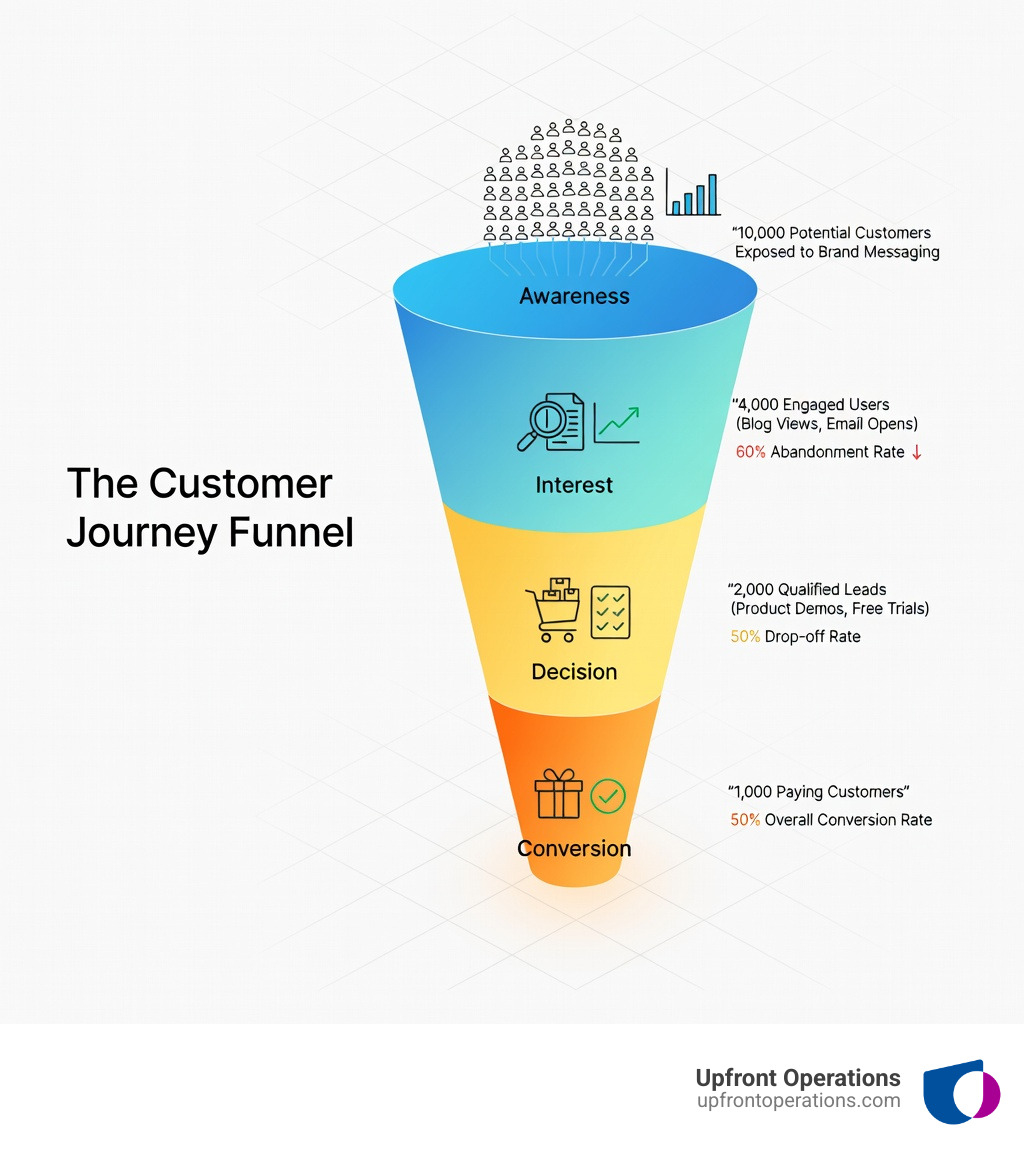
Funnel analytics setup word guide:
When we talk about a professional funnel analytics setup, we aren't just talking about a pretty bar chart. We are talking about a strategic framework that aligns your marketing, sales, and product teams. Without clear pillars, your data becomes a "choose your own adventure" novel where everyone interprets the ending differently.
The first pillar is step design. You need to define stages that actually mean something to your bottom line. If you track every single button click, your funnel will look like a chaotic spiderweb. If you only track "Land on Page" and "Buy Product," you miss the vital friction points in between.
The second pillar is the attribution model. This determines how credit is assigned to different touchpoints. In a world of complex user journeys, someone might click an ad, leave, return via an organic search, and then finally buy after receiving an email. How you attribute that sale changes your entire ROI calculation.
At Upfront Operations, we see many businesses in New York struggling to connect these dots because their CRM isn't talking to their analytics. We specialize in elite sales operations services that bridge this gap, ensuring your funnel data reflects the reality of your sales pipeline.
The biggest mistake we see is "Step Bloat." Ideally, you should limit your funnel to 5–7 key steps. If a journey is more complex, it’s better to create multiple focused funnels (e.g., an "Onboarding Funnel" and a "Retention Funnel") rather than one giant, confusing one.
This is a technical fork in the road during your funnel analytics setup.
In Google Analytics 4, open funnels use stacked bars to show entry points, while closed funnels provide a cleaner look at how many people successfully completed a specific sequence from start to finish.
Google Analytics 4 (GA4) has moved away from the rigid "Goals" of the past and into "Explorations." To get started, you’ll need the Editor or Administrator role for your GA4 property.
session_start or view_item) or dimensions.For a deeper dive into the programmatic side, check out the Technical guide to Google Analytics Funnel Reporting. If this feels like a lot of technical overhead for a small business, Upfront Operations offers on-demand website and tracking setups that take this off your plate entirely.
An "Exploration" in GA4 is like a scratchpad—it’s for your eyes only until you save it. To make it a permanent fixture for your team:
To get real insights, you need to segment your data.
While GA4 is the industry standard, other tools offer specialized features for different use cases.
| Feature | Google Analytics 4 | Amplitude | Funnel.io |
|---|---|---|---|
| Best For | Web & App Marketing | Product & Feature Adoption | Data Unification & ROI |
| Step Limit | 10 Steps | Unlimited (standard is 5-7) | N/A (Data Aggregator) |
| Reporting | 200 Custom Reports | High Customization | 600+ Connectors |
| Learning Curve | Moderate | High | Low (No-code) |
When you see a drop-off, don't panic. You need to distinguish between absolute drop-off (the total number of users lost) and relative drop-off (the percentage lost compared to the previous step).
For example, if 1,000 users start and 700 move to Step 2, that’s a 30% abandonment rate. If 100 users reach Step 4 and 95 move to Step 5, that’s only a 5% drop-off. While the first drop looks "scarier" because of the volume, the second drop might actually be more critical if Step 5 is the final purchase.
If you’re scaling, you can’t afford to manually build reports every week. By using SQL templates in a tool like Quadratic, you can connect directly to your event database. Parameterizing these queries means you can change the date range or the "cohort" (e.g., users who signed up in January) with a single click. This transforms a one-time query into a refreshable framework that grows with your business.
As your business grows, your data usually ends up in silos. Your ad spend is in Meta, your email engagement is in HubSpot, and your sales data is in your CRM. This is where a tool like Funnel.io becomes a lifesaver. It processes $80 billion in annual ad spend (about 11% of the world's digital ad spend) and offers over 600 connectors to unify your data.
We believe in the power of RevOps alignment. When marketing and sales use the same funnel definitions, the blame game stops. Marketing stops sending "low quality" leads because they can see exactly where those leads die in the sales pipeline.
For businesses that need this level of sophistication without the overhead of a full-time hire, Upfront Operations provides fractional sales operations experts. We can handle everything from your funnel analytics setup to business email microservices to ensure your outbound efforts are actually being tracked.
To scale, you need a "Source of Truth." This means:
Check out our pricing for on-demand support to see how we can help you standardize these processes.
They are two sides of the same coin. Abandonment rate is the percentage of users who did not move to the next step. Retention rate is the percentage who did. If 200 users start and 140 move to the next step, your abandonment rate is 30% and your retention rate is 70%.
Best practices suggest 3 to 7 steps. Any more than that, and the data becomes difficult to interpret. If you have a 15-step journey, break it into smaller sub-funnels like "Discovery," "Evaluation," and "Purchase."
Meta Quest funnel analytics uses two models. The "Event surface" model is near real-time, but the "Last-touch surface" attribution can have a delay of up to 3 days. This is because the system needs time to calculate which specific impression or click was the final one before the conversion.
A proper funnel analytics setup is the difference between driving in the dark and having a high-definition GPS for your business growth. Whether you are using the 200 custom report slots in Google Analytics 4, building complex event sequences in Amplitude, or unifying 600+ data sources with Funnel.io, the goal is the same: clarity.
At Upfront Operations, we don't just give you data; we give you momentum. From New York-based fractional sales ops to on-demand microservices like website setup and CRM optimization, we help you close the gaps in your pipeline. Stop guessing where your leads are going. Start scaling with Upfront Operations today and turn your funnel into a predictable revenue engine.