January 26, 2026

10
min read
The Ultimate Guide to Comparing CRM Deduplication Software
Fix messy CRM data! Compare top CRM deduplication software, learn implementation, and automate data quality for accurate r...
Fix messy CRM data! Compare top CRM deduplication software, learn implementation, and automate data quality for accurate r...

CRM deduplication software helps businesses eliminate duplicate records that are silently sabotaging their sales and marketing efforts. When your CRM contains multiple entries for the same customer, you're not just dealing with messy data—you're losing real money.
Quick Comparison of Top CRM Deduplication Solutions:
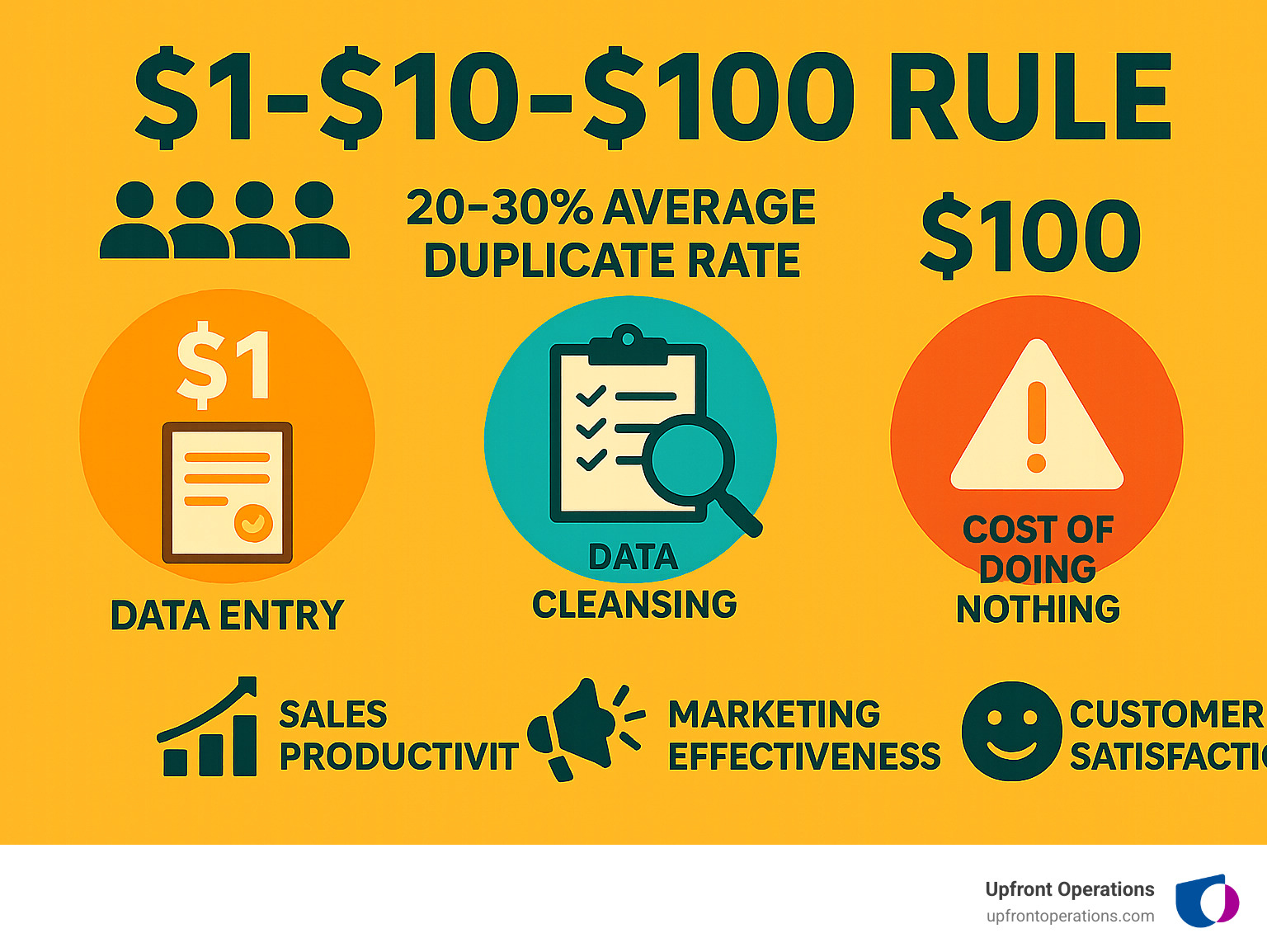
The numbers tell a sobering story. The average database contains 20-30% duplicate records, and the cost of ignoring this problem follows the infamous $1-$10-$100 rule: it costs $1 to verify a record as it's entered, $10 to cleanse and deduplicate it later, and $100 if you do nothing as the mistakes compound over time.
Consider this common scenario: your marketing team sends the same newsletter twice to duplicate contacts, causing recipients to mark your emails as spam and damaging your domain reputation. Meanwhile, two sales reps unknowingly contact the same prospect through different email addresses, creating confusion and potentially losing the deal entirely.
The hidden costs of duplicate data include:
I'm Ryan T. Murphy, founder of UpfrontOps, and over the past 12 years I've helped 32 companies implement CRM deduplication software and data quality strategies that have open uped millions in previously hidden revenue. From startups to global firms with 12,000 employees, I've seen how clean data transforms sales cycles, improves customer experiences, and drives sustainable growth.
Think of CRM deduplication software as your data detective. It's constantly scanning your database, looking for clues that two records might actually be the same person or company hiding behind different spellings, formats, or incomplete information.
The magic happens in three straightforward steps: Identify, Match, and Merge. First, the software identifies potential duplicates by scanning your entire database. Then it uses sophisticated matching algorithms to determine if those suspects are actually the same entity. Finally, it merges the confirmed duplicates into one comprehensive master record.
But here's where it gets interesting – not all duplicates announce themselves with flashing neon signs.
Deterministic matching is the simple approach. It looks for exact matches across specific fields like email addresses or phone numbers. If two records share the same email, boom – they're duplicates. But what happens when someone enters "John Doe" in one record and "Jon Doe" in another? That's where the smart algorithms come in.
Probabilistic matching assigns a confidence score based on how similar various fields are across records. It might flag "John Doe" and "Jon Doe" as a high-probability match if their phone numbers and companies also align. In data management, this approach is often described as record linkage, where multiple attributes collectively indicate identity. This approach uses fuzzy logic to handle variations like "Street" versus "St." or common typos that would otherwise slip through the cracks (see also approximate string matching).
Phonetic matching gets even cleverer by comparing how names sound rather than how they're spelled. Algorithms like Soundex can catch duplicates like "Smith" and "Smyth" that look different but sound identical.
The latest AI-powered matching takes this to the next level. These systems learn from your data patterns over time, becoming smarter with every merge decision. They can detect complex relationships and suggest matches with impressive accuracy, handling everything from abbreviated company names to nickname variations.
Once your CRM deduplication software identifies duplicates, it faces a critical decision: which record becomes the master? This isn't just about deleting extras – it's about creating the most complete and accurate view of each customer.
This is where survivorship rules become your best friend. These rules determine which data points from the duplicate records get preserved in the final master record. Get this wrong, and you might accidentally delete that crucial sales note or overwrite a customer's preferred contact method.
The most recent activity approach prioritizes records that have been updated recently, assuming fresher data is more accurate. The most complete record strategy chooses the entry with the most populated fields, giving you the richest customer profile. Some businesses prefer selecting records at a specific lifecycle stage – keeping "customer" records over "leads" makes perfect sense.
Multi-step custom rules offer the most precision. You might set up a sequence like: "First, choose any record with a Salesforce Account ID. If there's a tie, pick the one with an assigned owner. Still tied? Go with the most recent activity." This layered approach takes the guesswork out of deduplication entirely.
The reality is that setting up these survivorship rules correctly requires deep understanding of your data structure and business processes. That's why many companies turn to on-demand experts who can Fix Messy Customer Data without the overhead of hiring full-time specialists. Getting this foundation right from the start saves countless headaches down the road.
Choosing the right CRM deduplication software feels a bit like finding the perfect business partner. You want someone reliable, intelligent, and capable of handling whatever curveballs your data throws at them. After helping dozens of companies tackle their data chaos over the past 12 years, I've learned that the best solutions share four key traits: scalability, automation, customization, and cross-system sync capabilities.
Most popular CRMs come with built-in deduplication features that seem convenient at first glance. HubSpot's deduplication typically focuses on email addresses for contacts, which works fine for basic cleanup. Salesforce duplicate rules can identify and merge duplicate leads, contacts, and accounts with reasonable accuracy.
But here's where things get frustrating fast. These native tools hit walls that can make you want to pull your hair out. Salesforce's built-in deduplication only lets you merge three records at once—imagine having 500 duplicates and clicking through that nightmare! Most native tools don't support custom objects, leaving gaps in your data cleanup, and their basic matching logic misses the sneaky duplicates with slight variations or typos.
This is exactly where specialized third-party CRM deduplication software becomes a game-changer. These solutions bring advanced algorithms that use AI-powered matching to catch duplicates even when there's no perfect match—think fuzzy logic that connects "John Smith" with "Jon Smyth" based on other matching data points.
The cross-platform capabilities are particularly valuable in today's connected business environment. Your data doesn't live in just one system anymore. It flows between your CRM, marketing automation, sales engagement tools, and more. If you're running both Salesforce and HubSpot, you need a solution that understands how to Integrate HubSpot with Salesforce without creating duplicate nightmares across both platforms.
Scalability for large databases means these tools can handle thousands or millions of records without breaking a sweat, often offering batch processing and automation that keeps your data clean continuously. For businesses looking to optimize their existing setup, our team can help evaluate whether you need to Streamline HubSpot Operations with more robust deduplication capabilities.
When evaluating CRM deduplication software, there are several non-negotiable features that separate the winners from the time-wasters. Automated and scheduled merging tops my list because it transforms deduplication from a monthly headache into a background process that just works. Set it to run weekly, and your data stays clean without you lifting a finger.
Real-time duplicate prevention is equally crucial—it catches duplicates as they're being entered, stopping the problem before it starts. This is like having a bouncer at your data's front door, keeping troublemakers out entirely.
The software needs customizable matching rules that let you define what constitutes a duplicate based on your specific business logic. Maybe you consider records duplicates if they match on email and company, or perhaps you want fuzzy matching on names with exact phone number matches. You need that control.
Support for custom objects is essential if your CRM uses them. Many businesses rely on custom objects for industry-specific data, and software that ignores these creates dangerous blind spots in your cleanup efforts.
Preview and undo functionality gives you peace of mind. Before any changes happen, you should see exactly what the software plans to do. And if something goes wrong, a rollback feature can save your bacon.
Bulk processing capabilities handle those initial cleanup projects where you need to process hundreds or thousands of records efficiently. Cross-system deduplication ensures consistency across your entire tech stack, not just your primary CRM.
Strong reporting and analytics help you track progress and prove ROI, while address validation ensures accuracy for businesses that rely on physical addresses, helping identify duplicates with slight address variations.
The CRM deduplication software market offers several excellent solutions, each with distinct strengths. Here's how the leading options stack up:
| Software | Primary CRM(s) | Matching Type | Automation Level | Best For |
|---|---|---|---|---|
| Insycle | HubSpot, Salesforce | AI-powered, fuzzy, custom rules | High | Deep, cross-platform data management. |
| Cloudingo | Salesforce | Fuzzy, phonetic, address validation | High | Salesforce-centric businesses of any size. |
| DataGroomr | Salesforce | Machine Learning (AI) | High | Large Salesforce orgs wanting an AI-first approach. |
| Dedupely | HubSpot, Pipedrive | Fuzzy, exact matching | Medium | SMBs looking for a simple and effective solution. |